
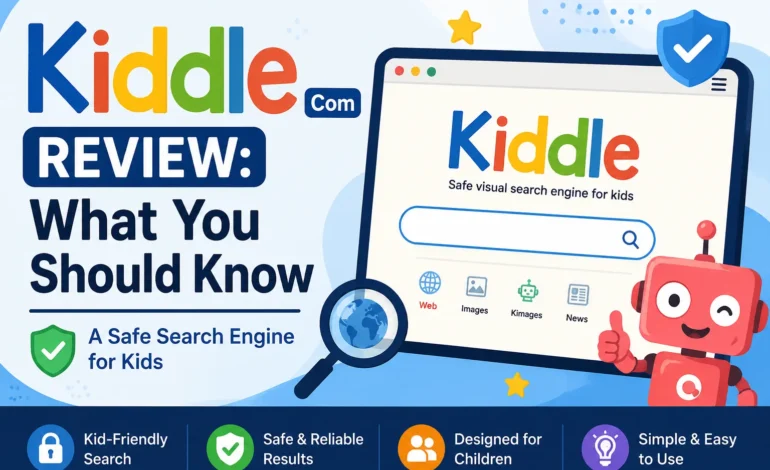

If you are a parent or teacher looking for a safer way for children to browse the internet, chances are you have come across Kiddle.com. It is one of the most talked about kid friendly search engines online, promising a safe and simple browsing experience for young users. But is Kiddle really as safe as it claims to be, and is it worth using for your child? In this review, we will break down everything you should know about Kiddle.com, how it works, its pros and cons, and whether it is the right choice for your family.
What Is Kiddle.com
Kiddle.com is a visual search engine built specifically for children between the ages of 5 and 12. Unlike regular search engines such as Google or Bing, Kiddle is designed with a colorful, simple interface that is easy for young users to navigate. Large thumbnails, big text, and a clean layout make it much easier for kids to browse without feeling overwhelmed.
Although Kiddle uses Google’s search technology in the background, it is not an official Google product. It is an independent platform created to filter search results and make them appropriate for children. Many parents confuse Kiddle with Kindle, the e-reader device made by Amazon, but the two have nothing to do with each other.
How Does Kiddle Work
Kiddle relies on Google SafeSearch as its foundation, then adds an extra layer of filtering on top of it. The goal is to block explicit, violent, or otherwise inappropriate content before it ever reaches a child’s screen. On top of automated filtering, Kiddle also has a team of human editors who manually review search results.
Search results on Kiddle are organized in a unique way:
The first few results, usually the top three, are pages written specifically for children and handpicked by Kiddle’s editorial team. These are considered the safest and most relevant results for kids.
The next set of results, generally from four to seven, come from websites that are not made exclusively for children but have still been checked and approved by Kiddle editors for suitability.
Results beyond that point are generally considered safe but are written for a general or adult audience, filtered mainly through SafeSearch rather than manual review.
This layered system is meant to give younger children the most simplified, kid appropriate content first, while still allowing older children to dig a little deeper if needed.
Is Kiddle Really Safe for Kids
For the most part, Kiddle does a solid job of blocking explicit and mature content. It has also maintained a list of blocked search terms over the years to prevent kids from stumbling onto inappropriate material. This makes it a popular choice among schools and parents who want an added layer of protection without needing to install separate parental control software.
Also Read: What Is Laidings Com? A Complete Guide
That said, no filtering system is completely foolproof. Some reviewers and parents have pointed out that Kiddle can be inconsistent, occasionally blocking harmless searches while letting a few questionable results slip through. Because the filtering leans heavily on automated tools along with a relatively small editorial team, it cannot catch everything all the time. For this reason, most safety experts still recommend some level of parental supervision, even while using Kiddle.
Pros of Using Kiddle.com
One of the biggest advantages of Kiddle is how easy it is to use. The bright, simple design appeals to young children and makes searching the web feel less intimidating. It also does not require any downloads, sign ups, or apps, since it works directly through a web browser on any device.
Kiddle is also a good tool for encouraging independent learning. Since search results are simplified and written in clear language, children can look up school topics or general questions without needing constant help from an adult. For teachers, it can be a handy addition to classroom computers or school library systems.
Drawbacks to Keep in Mind
Despite its strengths, Kiddle is not without its downsides. Some users find that its filtering is too strict, blocking legitimate searches that have nothing inappropriate about them. Others feel it is not strict enough for very young children, since a small amount of unsuitable content can occasionally appear further down the results page.
There is also limited transparency about who owns and operates Kiddle, which has raised some questions among parents who prefer to know exactly who is behind the platforms their children use. Additionally, Kiddle does not offer any parental dashboard or activity monitoring, so parents will not get insights into what their child has been searching for.
Kiddle vs Other Kid Safe Search Engines
Kiddle is not the only kid friendly search engine on the market. Alternatives like KidRex and Google SafeSearch itself offer similar filtering options. However, Kiddle tends to stand out because of its visual, colorful design that appeals specifically to younger audiences, along with its layered approach to organizing results by relevance and safety.
If your child is a bit older or needs more advanced research tools, a standard search engine with SafeSearch enabled and browser level restrictions might work just as well, if not better.
Final Verdict
Kiddle.com is a genuinely useful tool for parents and teachers who want a simpler, safer starting point for children exploring the internet. Its combination of automated filtering and human review makes it more reliable than a plain search engine, especially for younger kids. However, it is not a perfect substitute for direct supervision or a complete parental control system.
If you are looking for a low effort way to make your child’s early internet experience a little safer, Kiddle is worth trying. Just remember that no tool, including Kiddle, can fully replace an involved and attentive parent when it comes to protecting kids online.